99bd App for Android
The 99bd app puts cricket betting, live casino, slots and crash games right on your phone. Free to download, fast to install — no Play Store needed. Works on Android 6.0 and above.
File: 99bd.apk · Size: 52 MB · Version 2.7.18 · Free
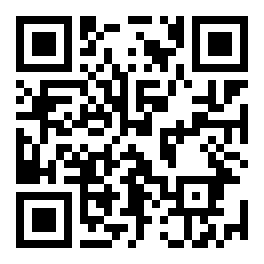
Scan to Download
Is the 99bd App Safe to Install?
The APK is served directly from the 99bd server over HTTPS. Before you install, here is what you should know about permissions and data handling.
TLS / HTTPS Transport
Every data packet between the 99bd app and the server travels over TLS 1.2 or higher. Your account credentials, deposit requests and personal details are encrypted end-to-end. The app will not connect to any unencrypted endpoint, so intercepting your session over public Wi-Fi is not possible under normal conditions.
Minimal Android Permissions
The 99bd app requests only the permissions it genuinely needs: Internet access (required for gameplay), storage access (for saving the APK update file), and camera (optional, used only during KYC document upload). It does not request access to your contacts, call logs, SMS, or location. You can review permissions in Settings → Apps → 99bd at any time.
APK Integrity Check
Each APK release is signed with a fixed developer key. If the file has been tampered with after leaving the 99bd server, Android will refuse to install it and show a "Package corrupt" error. Always download from 99bd.blog/99bd-app/ or by scanning the QR code on this page. Do not install APK files shared via WhatsApp or Telegram groups — those may be unofficial builds.
Account & Session Security
Sessions expire automatically after 30 minutes of inactivity. If your phone is lost or stolen, you can log out all active sessions from the account security page inside the app. Two-step login (via SMS or email OTP) is available and strongly recommended for all 99bd accounts. Never share your login details with anyone claiming to be 99bd support.
App vs Browser – Side by Side
Both the app and the browser version give you full access to your 99bd account. The table below shows where each one has the edge so you can choose what suits your situation.
| Feature | 99bd App (Android) | Mobile Browser | Desktop Browser |
|---|---|---|---|
| Push Notifications | Yes | Limited | Limited |
| One-Tap Login | Yes | No | No |
| Load Speed (3G) | Faster | Average | Average |
| Cricket Live Score Widget | Yes | No | Limited |
| bKash / Nagad Deposit | Yes | Yes | Yes |
| Full Game Library | Yes | Yes | Yes |
| Offline Game History | Yes | No | No |
| Screen Size Optimised | Native | Responsive | Full Width |
If you use bKash or Nagad to deposit and bet mostly on cricket matches during your commute, the 99bd app is the faster option. The browser version works fine on any device without installation.
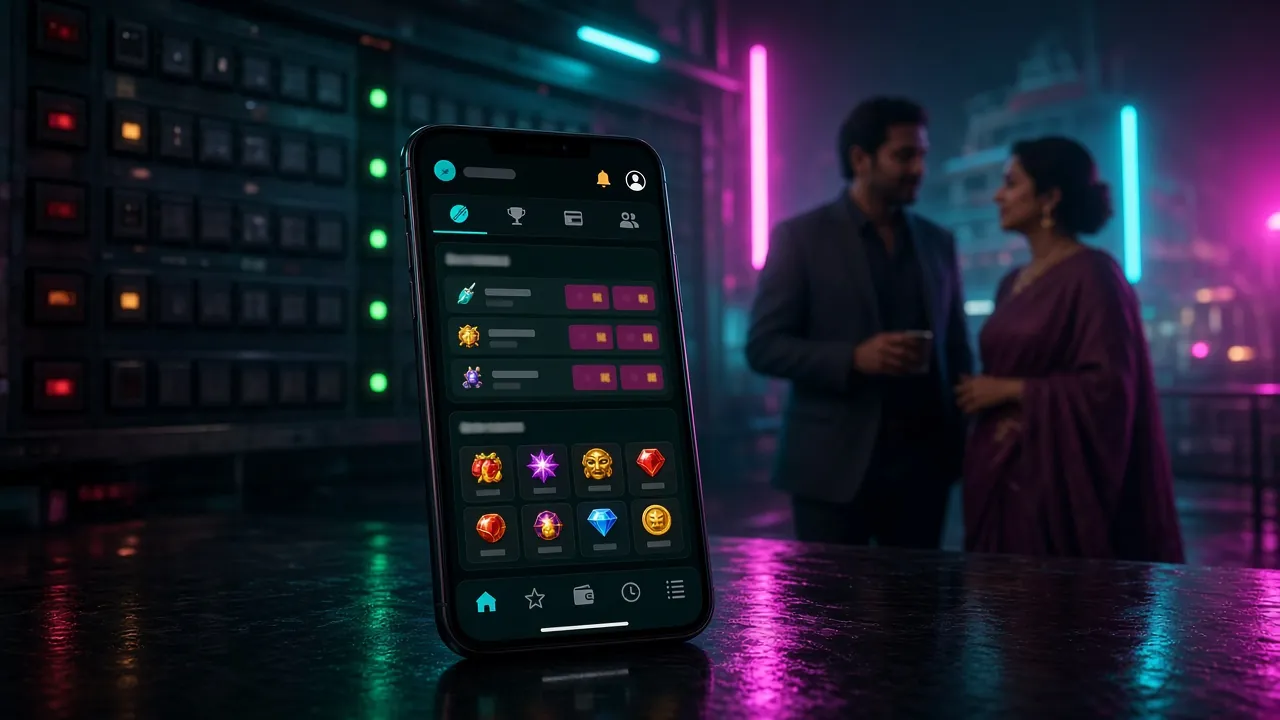
Cricket, Slots, Live Tables — All in One App
The 99bd app gives you access to the same full library available on the website. Here are the six main areas you will use most.
Cricket Betting
Bet on T20, ODI and BPL matches in real time. The app shows a live score widget at the top of every cricket market so you can see the run rate while you place your bet. Markets update ball by ball — no need to reload the page.
Slots & Arcade
Play over 3,100 games from JILI, PG Soft, KA Gaming, CQ9, FA Chai and Red Tiger. Titles like Dinner Delights (97.0% RTP), Dragon Hatch (97.1% RTP) and Wild Bandito (97.6% RTP) are available in portrait mode on your phone, fully touch-optimised with no lag.
Live Casino
HD live-streamed Baccarat, Roulette and Andar Bahar tables are available 24 hours a day. Minimum bets start at ৳10, so you can join a table without committing a large stack. Chat with the dealer directly through the app interface.
Crash & Aviator-Style Games
Crash games from PG Soft let you cash out before the multiplier busts. The 99bd app shows the live multiplier graph in full screen and lets you set an auto cash-out target. Minimum bet is ৳1, so it is easy to get started. See the Crash Games Guide for strategy tips.
Deposits via bKash & Nagad
Top up your 99bd account directly inside the app using bKash, Nagad, Rocket or Upay. Deposits appear in your balance within 2 minutes. Minimum deposit is ৳500. The app links to your mobile banking app automatically — no need to switch between screens or copy-paste reference codes.
Bonuses & VIP Tracking
Your bonus balance, wagering progress and VIP tier are all visible on the app home screen. The first deposit bonus gives you 235% up to ৳23,000. Daily cashback of 0.9% is credited automatically. You can track your progress toward the next VIP tier — from Copper up to Royal — without opening a browser.
Android Installation — Step by Step
Because the 99bd APK is not on the Google Play Store, you need to allow your phone to install apps from outside the Play Store. This is a standard Android setting — the steps below take about three minutes.
-
1
Allow Installation from Unknown Sources
Go to Settings → Security (or on Android 8+: Settings → Apps → Special App Access → Install Unknown Apps). Find your browser — Chrome, Firefox, or whichever you used to download — and toggle Allow from this source to ON. This setting only applies to the specific browser you chose, so it does not open your phone to all unknown software. You can switch it back off after installation if you prefer.
-
2
Download the APK File
Tap the Download APK button on this page. Your browser will download the file
99bd.apk(52 MB) to your Downloads folder. Wait for the download bar to reach 100% before proceeding — if your connection drops mid-download, the file will be incomplete and the install will fail. You can also scan the QR code on this page using another device to get the direct link. -
3
Open the APK and Tap Install
Once the download finishes, tap the notification at the top of your screen, or open your Files app, navigate to Downloads, and tap
99bd.apk. Android will show you a permission summary screen. Review it, then tap Install. The installation takes under 30 seconds on most phones. If you see a "Package Installer" pop-up, tap Install there too. -
4
Launch the App and Log In
After installation completes, tap Open in the installer or find the 99bd icon on your home screen. The app will load your account screen. If you already have a 99bd account, enter your phone number and password. If you are new, tap Register inside the app or visit the registration page first. Your account works across the app and the website simultaneously.
-
5
Turn Off "Unknown Sources" (Optional)
Once the 99bd app is installed and working, you can go back to Settings → Apps → Special App Access → Install Unknown Apps and switch your browser back to Not allowed. This reduces your phone's exposure to accidental installs from other sources in the future. The 99bd app will continue to work normally — this permission is only needed during the initial installation, not for running the app.
iPhone & iPad Users
There is no iOS APK. Instead, 99bd runs as a web app that you can pin to your home screen in a few seconds.
- Open 99bd.blog in Safari.
- Tap the Share button (box with arrow).
- Scroll down and tap Add to Home Screen.
- Name it 99bd and tap Add.
The icon appears on your home screen and opens the site in full-screen mode — no browser address bar. All features including bKash and Nagad deposits work normally through Safari on iOS.
Version Details & System Requirements
Check these details before downloading to make sure the 99bd app will run on your phone.
| Detail | Specification |
|---|---|
| App Version | 2.7.18 |
| File Name | 99bd.apk |
| File Size | 52 MB |
| Minimum Android | Android 6.0 (Marshmallow) or higher |
| Last Updated | 9 November 2026 |
| Price | Free |
| Available Languages | English, Bangla |
| iOS | Web app via Safari (Add to Home Screen) |
| Recommended RAM | 2 GB or more for smooth live streaming |
| Storage Required | At least 80 MB free space (for APK + cache) |
Download Now
Direct download from the official 99bd server. No third-party mirrors. The file is 52 MB — takes about 30 seconds on a standard mobile connection.
Download 99bd.apkAlready have an account? Log in here. New player? Register first.


Install Problems? Here Is What to Check
Most installation errors have a simple fix. The table below covers the five issues reported most often by 99bd players in Bangladesh.
| Problem | Likely Cause | How to Fix It |
|---|---|---|
| "Install blocked" message | The "Unknown sources" toggle is off for the browser you used to download the file. | Go to Settings → Apps → Special App Access → Install Unknown Apps, find your browser, and set it to Allowed. Then tap the APK file again. |
| "Parse error" during install | The APK file did not download completely — the last few bytes are missing, which corrupts the package header. | Delete the existing 99bd.apk from your Downloads folder. Download it again on a stable Wi-Fi or mobile data connection. Do not close your browser mid-download. |
| "Not enough storage" warning | Your phone has less than 80 MB of free internal storage, which is the minimum needed to install and run the app. | Open your Files app and delete unused apps, old photos or cached data. Free at least 100 MB, then try installing again. Alternatively, free space via Settings → Storage → Free Up Space. |
| App installs but crashes on launch | Your Android version is below 6.0, or the phone has less than 1 GB of RAM and cannot run the live-stream components. | Check your Android version in Settings → About Phone. If it is below 6.0, use the mobile browser version of 99bd instead. For low-RAM devices, close all background apps before launching 99bd. |
| Cannot log in after installing | The app is trying to connect to the server but your mobile data is blocked by a carrier restriction, or the phone's date and time are wrong (causes SSL errors). | First, confirm the date and time on your phone are set correctly (Settings → Date & Time → Automatic). Then try switching between mobile data and Wi-Fi. If the issue continues, contact 99bd's 24/7 live chat from a browser. |
Questions About the 99bd App
Is the 99bd APK safe — will it harm my phone?
Why is the app not on the Google Play Store?
How do I update the 99bd app when a new version is released?
Can I use bKash to deposit directly inside the app?
Does the app work on a low-end or older Android phone?
My installation failed with a "Package corrupt" error — what does this mean?
If I already have a 99bd account, do I need to register again after installing the app?
New to 99bd?
Create your account first, then download the app. Your first deposit gets you a 235% bonus up to ৳23,000. Wagering requirement is 9×.
Register NowCricket on the App
T20, ODI and BPL live betting with ball-by-ball updates. The app's live score widget keeps you on top of every over.
Cricket Betting GuideCrash Games Guide
Play Crash from PG Soft with bets from ৳1. Set auto cash-out targets and track multiplier history — all inside the 99bd app.
Crash & Aviator Guide